How to Track Leads From Google for a Local Business
Google leads land in four places: your profile, your phone, your messages, and your site. Here is how to see each one, free first.
A customer calls, thanks you for the quick quote, and says they found you on Google. You hang up and realize you have no idea which search sent them, or whether Google sent anyone this week at all.
For the full picture, see Local Google Advertising.
For the full picture, see How to Measure Local SEO ROI Step by Step.
For the full picture, see Call Tracking for a Local Service Business.
Leads from Google arrive in 4 places. Calls and messages on your Business Profile, direction requests that end in a visit, and clicks that reach your website. Google counts the first 3 for free in your profile performance panel. Your website needs Analytics or a tracking number to show the rest.
TL;DR
- Google gives you 4 free lead counters on your Business Profile.
- Your site side needs Analytics or a tracking number.
- Start with the profile panel, then the call history, then the site.
- None of it costs anything to set up.
Where do leads from Google actually show up?
Every Google lead follows 1 of 4 paths. A tap to call, a tap to message, a tap for directions, or a tap to your site. The first 3 stay inside your profile. The 4th leaves your profile and lands on a page you own.
Those paths start in the map pack, the block of 3 nearby businesses Google shows above the normal results. Google says how Google ranks local results rests on relevance, distance, and prominence. Prominence means how well known your business is, and Google ties it to links and reviews.
We walk through each of those 3 factors in how Google ranks local businesses.
One thing gates all of it. A profile has to pass verifying your Business Profile before it appears in Search and Maps. When owners ask us about tracking, the profile we open is often still unverified or half filled. You cannot measure leads a profile never generated.
Most advice on tracking Google leads is written by agencies for other marketers. This is the plain version for the person who answers the phone.
What does your Google Business Profile performance report show?
The performance report shows 4 counts over time. Calls, messages, direction requests, and website clicks, plus how often people see you on Search and Maps. It builds itself and costs nothing to read.
Open it inside the profile under Performance, and read it as a trend. One quiet week tells you little. Several weeks show whether the taps are climbing. Google tallies each tap for you in your Business Profile performance report.
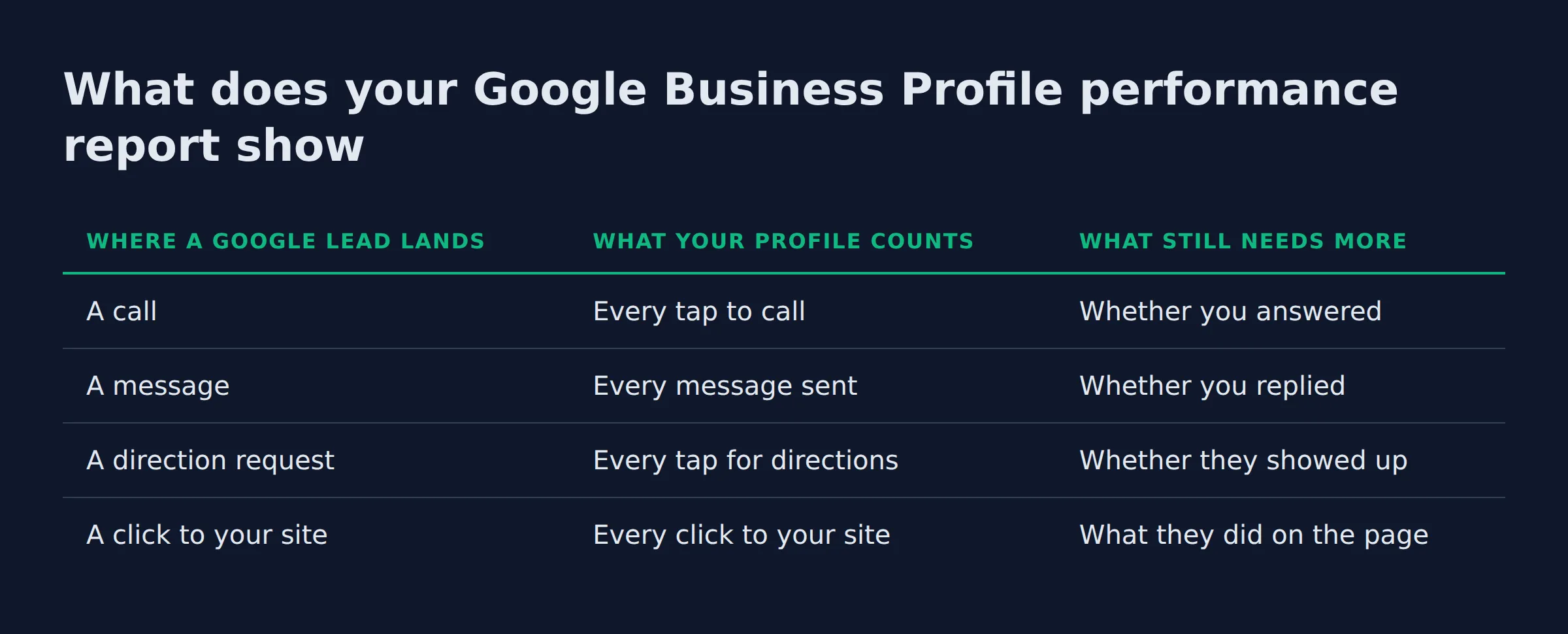
| Where a Google lead lands | What your profile counts | What still needs more |
|---|---|---|
| A call | Every tap to call | Whether you answered |
| A message | Every message sent | Whether you replied |
| A direction request | Every tap for directions | Whether they showed up |
| A click to your site | Every click to your site | What they did on the page |
Here is the counter owners miss most. Direction requests read like idle taps, but a request is often someone already driving your way. We run the same 3-stop leak check on every profile we audit, and it starts with that panel:
- Panel. Are the 4 counters moving at all?
- Call history. Do the taps match the calls you answered?
- Site side. Does Analytics show the click landing?
How do you track calls from your Google Business Profile?
Your profile counts every tap to call, not every answered call. The performance report shows how many people tapped. The call history shows who reached you and when. The gap between those 2 numbers is where leads go missing.
Say the panel shows more taps than conversations you remember. A few rang through and dropped. The phone was on a job. When an owner tells us the phone never rang, the call history usually shows the taps anyway, and the phone’s own log shows missed numbers from those same days.
If the site visits are real and the phone is still quiet, that is a different problem, and we cover it in traffic that never turns into calls.
Do messages and direction requests count as leads?
Yes, both are real leads. A message is a lead until you answer it. A direction request is a lead already on the way. Your profile reports both, and both deserve a reply or a follow-up.
Messages land in the profile inbox, and a slow answer hands the job to whoever replied first. Directions matter most for a service area business, one that travels to the customer. These profiles hide the street address and lean on the areas served, which is how representing a service area business works. With no storefront to visit, the direction tap and the call are the whole lead.
The gap we see most on the message side is simple. A message comes in after hours, the owner reads it the next morning, and the customer has already booked someone else.
How do you track leads from Google Maps onto your website?
Website clicks from Maps land in Analytics, not in Maps. Google shows the click in your profile, then hands the visitor to your site. You match the 2 with a tag on your profile website URL or a hit in Analytics.
Tag the profile’s website link with utm_source, utm_medium, and utm_campaign values. Now every visit from the profile or a map listing arrives with its origin attached. GA4 treats each action as an event. You choose the ones that count by marking a key event as a conversion, such as a form submit or a tap to call.
For the search side, open the Search Console queries report. It shows the queries people typed, plus clicks, impressions, CTR, and average position. What Google Analytics measures covers the on-site half, and Google Tag Manager fires the tags if you would rather not edit code. A LocalBusiness schema block tells Google what the business is and where it serves, which helps the site line up with the profile.
When a map click arrives untagged, it lands in a channel owners never open. It shows up as a plain referral from a Google domain. We have watched owners stare at a full Analytics screen and still say the site gets no Google traffic, because the visits sat in a row they never checked.
Do you need a call tracking number to track Google leads?
No, you do not need one to start. The profile panel and Analytics cover most Google leads for free. A tracking number fills 1 gap Google cannot see: a call that never came through your profile, like an old printed number on a truck. That is the case that needs it.
A tracking number swaps in a different phone number for website and ad visitors. The trick is called dynamic number insertion, and it names the exact call source when the profile data runs out. CallRail and CallTrackingMetrics are the common tools for it. If you run paid search, Google Ads call reporting uses call assets and a Google forwarding number to count a paid click that turns into a call.
| Method | What it shows | What it costs |
|---|---|---|
| Profile performance report | Calls, messages, directions, site clicks | Free |
| Profile call history | Who called and when | Free |
| Analytics 4 and Search Console | Site visits, search queries, key events | Free |
| A tracking number | Calls that never touched the profile | A monthly fee |
The gap we find most often sits after hours. The tap shows in the panel, the call rings out to voicemail, and the customer dials the next business before morning. If you would rather not wire all of this together yourself, our local SEO service runs the tracking and the fixes as one job.
Related: How to Set Up Google Business Profile Correctly
Related: Google Business Profile Manager: What It Is and How to Use
Related: Does Google AI Overview Help Local Businesses?
Related: my business profile
FAQ
How do people find my Google business page?
Most people reach it 2 ways. They search a service plus a city and tap the map result, or they search your name and tap your profile. Both the searches and the taps show in your profile performance report.
How do I set up Google Analytics for a local business?
3 steps. Create the account. Add the tag to every page. Then mark 1 action as a key event, like a form submit or a call tap. GA4 calls a conversion a key event, so start with one and add more later.
How do I track leads if I have no website?
You track everything inside your profile. Calls, messages, and directions all show in the performance panel. For the full path with no site, read tracking leads when you have no website.
How long does it take to get leads from Google?
There is no fixed timeline, and anyone quoting one is guessing. A new or thin profile can stay quiet while Google builds trust in the listing. Watch the trend in the performance panel across a few months instead of counting any single day.
How much do Google leads cost?
Profile leads carry no click cost. A call or message through your profile costs nothing to receive. Leads from paid ads are different, because every paid click carries a price.
If you want a straight read on where your Google visibility stands, a 15-minute call covers it. We will open your profile panel with you and point at the leaks. You can book it here: https://link.localbizboost.com/widget/booking/lobOMW2RpbL2Vu9SblWG