Service Area Pages for Local SEO: How to Rank in More Cities
What service area pages are, how they differ from location pages, how many to build, and how to rank in cities where you have no office.
Your service list covers 10 towns. A homeowner searches from most of them and your business never appears.
Service area pages close that gap.
What is a service area page in local SEO, and how do you use one to rank in more cities?
A service area page is built for one town you drive to rather than one where you have an office. It names that town in the H1 and shows proof of real work there. Links go to your main service pages. Build one only where the proof exists.
You can read a dozen guides on city pages and never see a real one. Most weeks we open those pages in Search Console for owners. The pattern below is what they show.
TL;DR
- A service area page covers a town you serve. Your profile address can sit in a different one.
- Build one only where you have proof: a finished job, a photo of it, a review from that town.
- Dozens of pages built by swapping the town name is doorway abuse, and Google’s spam policies name it.
What is a service area page in local SEO?
A service area page targets one city or area your business serves. It names that area in the H1 and the copy. Proof of nearby work and links to your main service pages go on the page. Near duplicates of it read to Google as doorway pages.
Owners usually meet the idea as a list. The footer says “areas we serve” and drops 12 town names with no page behind any of them. Each name can be a page.
A service area business (SAB) travels to the customer and hides its address in its Google Business Profile. Google’s help on service area settings inside your profile allows up to 20 service areas, set by city or postal code.
The whole area should sit within about 2 hours of driving time from your base. One profile covers the business.
The profile supplies the map pin. The page supplies the town’s search results.
How are service area pages different from location pages and doorway pages?
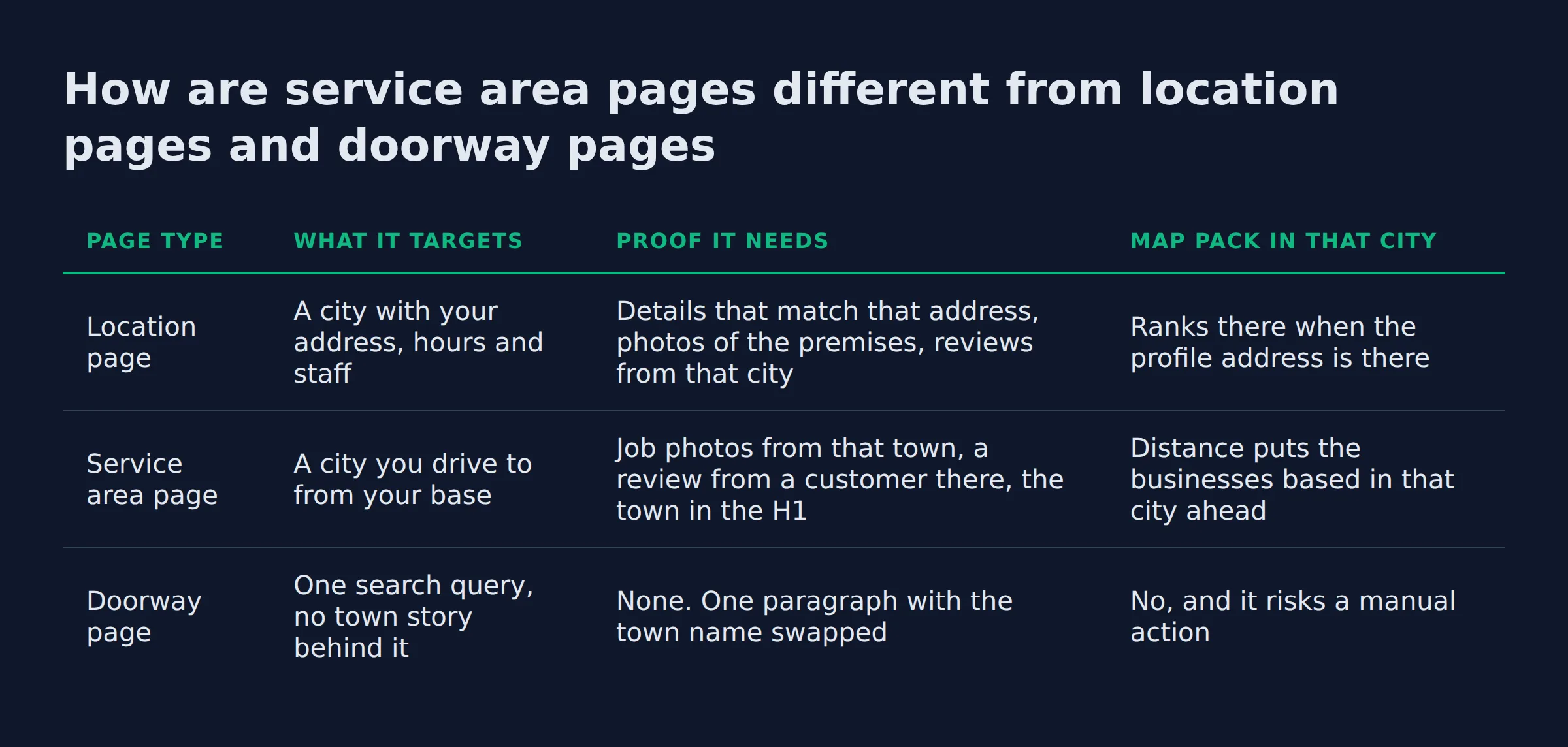
A location page targets a city where you have an address and hours. A service area page targets a city you drive to from somewhere else. A doorway page is a near duplicate built to catch the search. Google’s spam policies treat that as a violation.
Three page types get mixed up in one conversation. Here is the split we use.
How are service area pages different from location pages and doorway pages
| Page type | What it targets | Proof it needs | Map pack in that city |
|---|---|---|---|
| Location page | A city with your address, hours and staff | Details that match that address, photos of the premises, reviews from that city | Ranks there when the profile address is there |
| Service area page | A city you drive to from your base | Job photos from that town, a review from a customer there, the town in the H1 | Distance puts the businesses based in that city ahead |
| Doorway page | One search query, no town story behind it | None. One paragraph with the town name swapped | No, and it risks a manual action |
Owners land on that third row often. Swapping a town name into one paragraph and republishing it 40 times is Google’s doorway page policy in plain terms. The policy lists pages “targeted at specific regions or cities that funnel users to one page” and “substantially similar pages” as doorway abuse.
Those results live on Google Maps, and distance drives them. Google also calls distance proximity, so a business with an address in that city starts ahead of you. Open the map from that city and you get the local finder, a longer list of businesses.
A location page leans on an address. A service area page leans on proof.
How do you build a service area page that ranks in a city where you have no office?
Build from proof you already have. Pick a town where you finished work and earned a review, then write the page around that job. The town goes in the H1 and the title tag. Then the page describes the job and links back to the service it came from.
Start with the towns where the work already happened. Then:
- Write the H1 and the title tag around the town and the service, because that is what the searcher typed.
- Write a meta description that names both.
- Add a photo of a finished job in that town. A photo of the wrong town proves nothing.
- Quote a review from a customer there, with their permission.
- Add internal links to your main service page and to 2 nearby town pages, with anchor text a person would write.
- Add the page to
sitemap.xmland check it in Google Search Console 2 weeks later.
The page also needs business details a machine can read. LocalBusiness structured data describes the business in a format Google reads directly. The areaServed property carries your towns.
Service schema covers the service itself, and FAQPage schema covers the FAQ block. The properties all come from schema.org. Our guide to local business schema, explained walks through the fields you need.
The order matters. H1, then photo, then internal link, then copy.
Page-level build work has its own guide: how to build local service pages that rank. This section stays on the city angle. Owners who want the build handled from the profile side too use our local SEO service.
How many service area pages should one business have?
Start with the towns where you have finished work and a review to show. For most owners, 3 to 6 pages covers the towns that matter. Forty is a warning sign.
We count proof before we count towns. A town with jobs and no review gets a mention on the nearest page.
Owners keep pushing for pages in towns where nobody searches. We pull city or ZIP level demand first. A page for a town with no demand earns impressions and no calls.
Not sure how many towns are already named in your service list? A text search of the profile and the footer finds them in a minute. A smart tool does the same job in one pass.
Multi-address companies need different math, and that count question has its own guide.
Proof beats page count.
Ranking in more cities without 40 spun pages
Ranking in more cities comes from a handful of pages that hold real proof in Google Search. The version with 40 near duplicates earns impressions, then a violation.
The first place we look is the Performance report in Google Search Console. Switch to the query report, filter to the city pages, and sort by clicks.
Almost every audit shows the same shape. A long list of pages with impressions, and a short list with clicks. The short list shares 3 traits:
- The town is in the H1.
- There is a photo from that town.
- The page links to the main service page.
In the audits we run, the biggest town rarely earns the first click. The page that earns it has a photo and a review from that town. That town is often 40 minutes from base.
Pages that only earn impressions are usually copies of each other. Google’s guidance on consolidating near duplicate pages is the fix. Pick one URL, point the others at it with a canonical, and let the strongest page carry the traffic. That is consolidation in practice.
Leave those copies live and you carry a duplicate content problem you can measure.
A city page with 200 words and no local review is thin content you can delete today. If it has earned nothing in 6 months and you have no work there, remove it from the sitemap. Set it to noindex. Keyword stuffing does not fix a thin page.
Take the spun content down instead of rewriting it. Google’s helpful content guidance puts people first. A page that exists to catch a query fails that test on its own.
Localized testimonials and photos are the opposite case. They are what moves a page off the impressions list.
Measurement closes the loop. GA4 shows the sessions those pages send. Phone and form conversion tracking shows which of them produce a call.
A city page earns clicks when someone in that town recognizes it.
What does a service area page actually look like?
A working service area page opens with the town and the service in the H1. The first screen shows proof from that town, and the copy describes the work in plain words. It links to the main service page and closes with an FAQ.
Published service area page guidance covers most of that anatomy. The BrightLocal guide is the one worth reading on why a business with no storefront can still read as local. It runs about 3,700 words of body copy.
What we add is the order, because the first screen is what a homeowner and an AI tool both read. For service area page examples, we check the town in the first 8 words and whether the proof could belong to any other town. Both tests catch a template.
Proof that could belong to any town proves nothing.
Do service area pages still work with AI Overviews and the map pack?
Yes. The query “service area pages for local seo” shows an AI Overview, and the pages it draws from answer in their first 2 lines. Write each section as a short answer under a question heading, and AI tools have something to quote.
AI Overviews change the shape of the answer. The work behind a good answer stays the same.
AI Mode and the answers people paste into ChatGPT work the same way. A city page that buries its answer under 200 words of introduction gives those tools nothing to lift.
The map pack, also called the local pack, still runs on 3 inputs from relevance, distance and prominence:
- Relevance: how well your page matches what the person typed.
- Distance: how close you are to the searcher.
- Prominence: how well known you are, which grows with links and reviews.
Prominence is the part you can build. Reviews move it fastest. Google’s guidelines for representing your business ask for one profile per business, accurate service areas and the fewest categories that fit.
Check that your NAP details (the name, address and phone on the site and the profile) match, because mismatches cost you the map. Pages and profile work as one system, and that system is what we do at Local Biz Boost.
AI tools quote the page that answers first, so put the answer in the first 2 lines.
Related: How Many Location Pages Should a Local Business Have?
Related: Thin Content vs Real Local Landing Pages: How to Tell
Related: What Should a Local Service Homepage Say?
Related: how to rank in a city you are not located in
Related: expanding a service business to a new city google
FAQ
What are location pages?
A location page covers a city where the business has a real address, with staff and hours on site. A service area page covers a city the business drives to from somewhere else. The two need different proof on the page.
Are service pages important for SEO?
A service page answers one service in one place, and that is the page Google can match to a specific search. Split 6 services onto 6 pages and each page pulls its own queries. One page holding every service competes for none of them.
Can I use service area pages for cities where I do not have an office?
Yes. A service area business serves customers at their address, so it hides its own and names the areas it covers in the profile. The city page adds what the profile cannot hold. It carries job photos and a review from that town.
Will creating dozens of city pages help me rank faster?
No. Pages built by swapping the town name into one paragraph across dozens of URLs are the doorway pattern. Google’s spam policies count that as a violation. Build where you have proof, and the pages that earn clicks will be the ones a local recognizes.
What specific information should I include on a service area page?
The town belongs in the H1 and the title tag. Add a photo of a finished job there and a review from a customer in that town. Name the services you sell in that area, and link back to the main service page.
If you want a straight read on where your Google visibility stands, a 15-minute call covers it. Bring your service list and we will show you which towns your site can realistically get found in first. Book the 15-minute call.