How to Get More Google Reviews for a Service Business
How service businesses get more Google reviews: ask at job end, text a direct review link, and reply to every review. No incentives, no gating.
The job went well. The homeowner said she would leave you a review. Three weeks later, your profile still shows the same reviews it showed in March.
That gap is what we see across the profiles we audit. The work is good. The ask never lands in a way that survives a busy week.
Plenty of review advice comes from companies selling reputation software. We set up review systems for service businesses, so this page is what we see on real jobs.
To get more Google reviews for a service business, ask at the moment the job ends. Send a one-tap review link while you are still on site, then reply to every review. Ask every customer the same way, with nothing attached.
The short version
- Ask in person before you pack up, then send the review link within the hour.
- Keep new reviews landing every month, not in one burst.
- Never offer anything in return for a review. Google and the FTC both ban it.
- Reply to the five-star reviews as well as the complaints.
The 3 steps that get a review posted
A posted review needs 3 things in place. The link has to open the review box in one tap, and the customer has to be signed into a Google account. Miss either one and the review stays a promise.
The moment matters just as much. A review written the same day carries the detail of the job, and detail is what the next buyer reads.
Every owner who gets steady reviews runs the same loop:
- The ask: the request goes out while the finished work is still in front of the customer.
- The link: one tap opens the review box, with no searching.
- The reply: the owner answers, whatever the star rating.
The sign-in step trips up more customers than owners expect. Google requires a signed-in Google Account before anyone can post a review, per its help page on getting more reviews. The account can use a non-Gmail address.
Friction loses more reviews than unwillingness does.
How many Google reviews does a service business need?
There is no official number, and buyer behavior sets the bar. 47% of consumers will not use a business with fewer than 20 reviews, and 31% will only use one rated 4.5 stars or higher.
BrightLocal’s 2026 Local Consumer Review Survey asked consumers how many reviews a business needs and found 47% skip a business below 20 reviews.
The same study shows the minimum star rating customers expect climbing year over year. 31% will only use a business rated 4.5 stars or better, up from 17% a year earlier. 68% want at least 4 stars, up from 55%.
What if your profile has only a handful of reviews?
A short profile still wins jobs when the newest review is recent and the work answers are specific. Start asking on every job now, and the count catches up within a few months.
When we audit a profile, the count is not the first thing we check. We check the date on the newest review.
A buyer reads the newest review before they read the total.
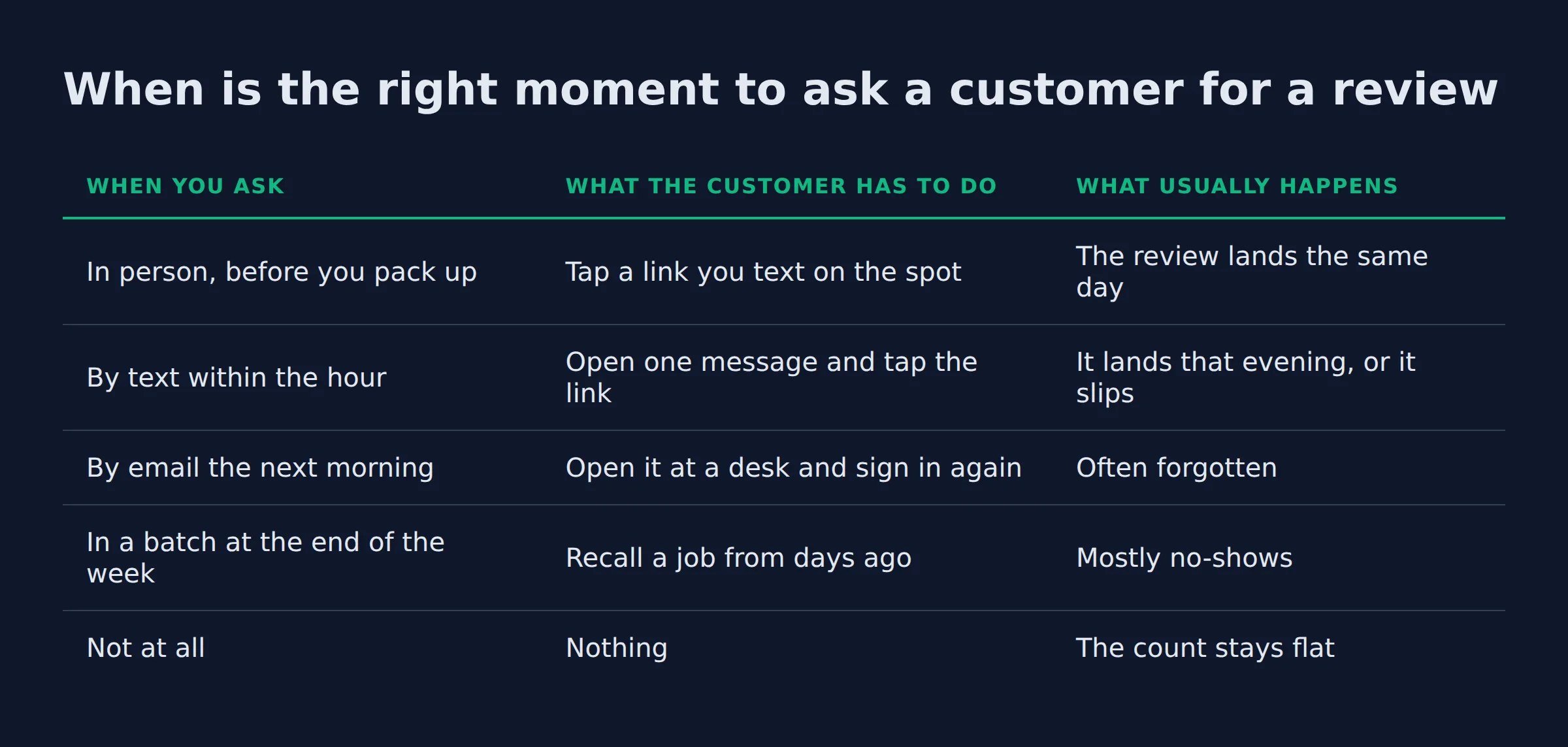
When is the right moment to ask a customer for a review?
Ask before you pack up the tools, while the finished work is still in front of the customer. Send the link on that same visit or within the hour. An ask sent at the end of the week arrives after the moment has passed. The exact words matter too, covered in how to ask customers for reviews without being pushy.
Here is how the timing changes the result.
| When you ask | What the customer has to do | What usually happens |
|---|---|---|
| In person, before you pack up | Tap a link you text on the spot | The review lands the same day |
| By text within the hour | Open one message and tap the link | It lands that evening, or it slips |
| By email the next morning | Open it at a desk and sign in again | Often forgotten |
| In a batch at the end of the week | Recall a job from days ago | Mostly no-shows |
| Not at all | Nothing | The count stays flat |
Google puts one limit on the timing. Owners should not pressure a customer to leave a rating while they are standing on the premises, per Google’s contribution policy. Ask, hand over the link, and go.
Payment is the second stall point. When the request goes out before the invoice clears, the customer reads it as a nudge about the bill. We watch that stall most on larger jobs, where the money is still moving.
The request text we use
The ask that gets answered is short. It names the job and it gives the link. It also says the review takes about a minute.
Hi Dana, thanks for having us out for the gutter clean today. If you have a minute, a Google review helps other homeowners here find us:
[your review link]. Either way, thanks for the work.
We see three things make that text work.
- It names the job, so the customer knows the message is about them.
- It mentions other homeowners nearby, which turns the ask into a favor for neighbors.
- It gives an out, which drops the pressure and lifts the odds the review gets posted.
Name the job in the request. A generic ask reads as bulk mail.
What is the fastest way to send a customer your review link?
Use the review link inside your Google Business Profile. Open the profile in a computer browser and choose Read reviews, then Get more reviews. That panel holds both the link and the QR code.
The path comes from Google’s page on creating a review link or QR code, and it carries one catch. The QR code can only be generated in a desktop browser, so you cannot pull it from your phone in the truck.
Google lists where the link belongs:
- Receipts
- Thank-you emails
- The end of a chat or text thread
- A printed sign or counter card
It also allows review requests through WhatsApp or Facebook.
A service-area business has no counter, so the code goes where the customer already looks. The van door is one spot. So are the invoice email and the card you hand over at the end of the job.
Save the review link in your phone once, and send it on every job.
How often do new reviews need to come in?
New reviews need to keep arriving. 74% of consumers only consider reviews written in the last 3 months, and 18% trust only a review from the last week. A steady trickle beats a one-time push.
BrightLocal measured how recent reviews need to be for a consumer to act. 32% now check reviews from the last 2 weeks, up from 20% a year earlier.
What is review velocity?
Review velocity is the rate new reviews arrive, and it matters more than the total on the badge. It decides whether a profile still looks active.
A burst of reviews in one week followed by 6 quiet months looks arranged, even when every review is real. The profiles we watch grow do it the boring way, with a few new reviews every month from the same repeated ask.
Treat the review ask as part of the job, on every job.
What the profiles we audit actually look like
The same 3 problems show up on most of the profiles we review:
- A stack of five-star reviews with no owner reply.
- A review link that was set up once and never used again.
- A newest review months old, on a business that works every week.
That first one surprises the owners we audit. A buyer scrolling the profile sees praise with no answer from the owner, and the silence reads as indifference. Google’s own guidance suggests replying to reviews and sharing your perspective.
From what we see, the cause is plain. No step for the ask exists at the end of the job, so the review depends on memory. Memory loses to a full schedule.
A review system fails at the handoff, when this job ends and the next one starts.
Can you give a discount or gift in exchange for a review?
No. Google treats any incentive for a review as fake and misleading content and removes the review. The FTC rule also bans incentives tied to how positive the review is, so ask every customer the same way, with nothing attached.
Google’s own policy says that offering free or discounted goods or services for posting a review is prohibited, per its page on getting more reviews. Asking for a review to be changed or a negative one removed in exchange for an incentive counts as the same violation.
Review gating sits under the same ban. That is the habit of asking only the customers you expect to be happy, and Google’s contribution policy names selectively soliciting positive reviews as prohibited.
The FTC rule on fake reviews and testimonials bans the purchase of reviews and undisclosed reviews from insiders. It also bans threats used to suppress a negative review, and it carries civil penalties.
| What the owner does | Allowed? | Why |
|---|---|---|
| Text the same review link to every customer | Yes | It asks for an honest review with no strings |
| Reply to a review in your own words | Yes | Google encourages owner replies |
| Offer 10% off for a review | No | Google calls it fake and misleading content |
| Ask only the customers you know are happy | No | Google bans selectively soliciting positive reviews |
| Stand over the customer while they type | No | Google says do not pressure customers on site |
| Ask a relative who never used the service | No | Undisclosed insider reviews break the FTC rule |
An incentive turns a genuine review into a removable one.
Is it legal to incentivize Google reviews?
No. A discount for a review puts the profile at risk, and the FTC can penalize it. Nothing in either rule stops you from asking every customer the same way.
Should you reply to every review, even the five stars?
Yes. 37% of consumers check whether the owner replied, and Google’s guidance says to make replies count rather than sending the same thank-you to everyone. A specific reply on a five-star review tells the next buyer something real.
The 37% who check for an owner reply, per BrightLocal’s 2026 survey, read those replies as a signal about how the business treats people. Google’s reply guidance covers the basics:
- Be professional and polite.
- Keep the reply short and simple.
- Respond in a timely manner.
- Personalize it with the reviewer’s name.
- Stay conversational instead of promotional.
Promotions in a reply are discouraged, and so is sharing a reviewer’s private information, per the help page on how to reply to a review.
How do you respond to a bad review?
Answer once, with the facts, and move the details offline. Apologize for what went wrong and explain what was outside your control. Report the review if it breaks Google’s content policies, and never share the customer’s private information.
The reply is public marketing. A roofer who answers a complaint with the fix he applied tells the next homeowner how he handles problems. We write replies for owners, and the ones that work sound like the owner on the phone, with one detail from the job.
Reply to the five stars with a detail from the job.
Do Google reviews actually affect where you rank?
Yes, and reviews are one input among several. Review signals account for about 16% of local ranking factors. Volume and recency feed that number, and so do your star rating and your replies.
BrightLocal’s guide on how much reviews affect local ranking puts review signals at roughly 16% of the factors behind local results. Distance sets the ceiling. Your categories and the pages behind the profile shape the rest.
When a profile is missing from the map pack entirely, reviews are not the first fix. Start with why your business is not showing up on Google Maps.
Reviews also feed a second reader. In the 2026 survey, AI tools such as ChatGPT climbed into third place among the sources consumers use for local business recommendations, per BrightLocal. The same review text that convinces a homeowner feeds the answer an assistant gives.
If you would rather have someone run the ask and the replies every week, that is what Local Biz Boost does.
Reviews help you get found, and they help the person who found you decide to call.
Related: How to Set Up Google Business Profile Correctly
Related: How Google Ranks Local Businesses
Related: Google Business Profile Manager: What It Is and How to Use
FAQ
How can I get more Google reviews quickly?
Ask every customer today, in person, and text the link before you drive away. Speed comes from repeating the same ask on every job you finish.
Can I ask a customer to leave a review in person or by text?
Yes. Google’s help suggests asking customers to use a review link or a QR code, and it also allows review requests through WhatsApp or Facebook. Ask cleanly and step back.
Does asking for reviews break Google’s rules?
No. Asking is allowed. The rules break when you attach an incentive, ask only the happy customers, or stand over someone while they type.
What do I do about a fake or unfair negative review?
If it breaks Google’s content policies, report it. If it came from a real customer, reply once with the facts and take the details offline. Never pay or threaten anyone to remove it.
Do reviews actually help a local business rank on Google?
Yes. Review signals are about 16% of local ranking factors, and the same reviews decide whether the person who finds you calls.
If you want a straight read on where your Google visibility stands, a 15-minute call covers it. Book the call here.